The ViciousCircle app collection
Reading
 The BestSeller List
Choose the New York Times best seller lists you follow, then see which books climbed or slipped in the latest rankings. Open a title for its synopsis and publishing details. Save anything you want to read, or put a list on your Home Screen to glance at the top titles.

Inside the App
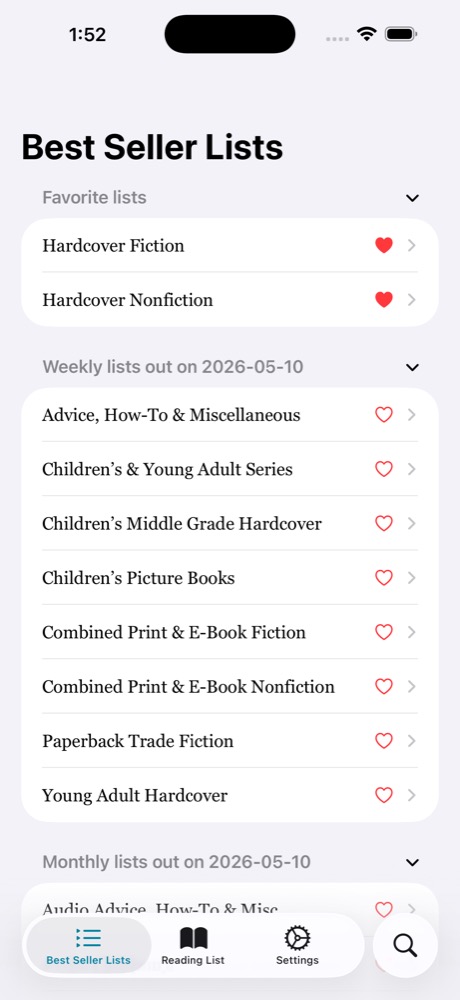
Keep the categories you follow at the top of the list.
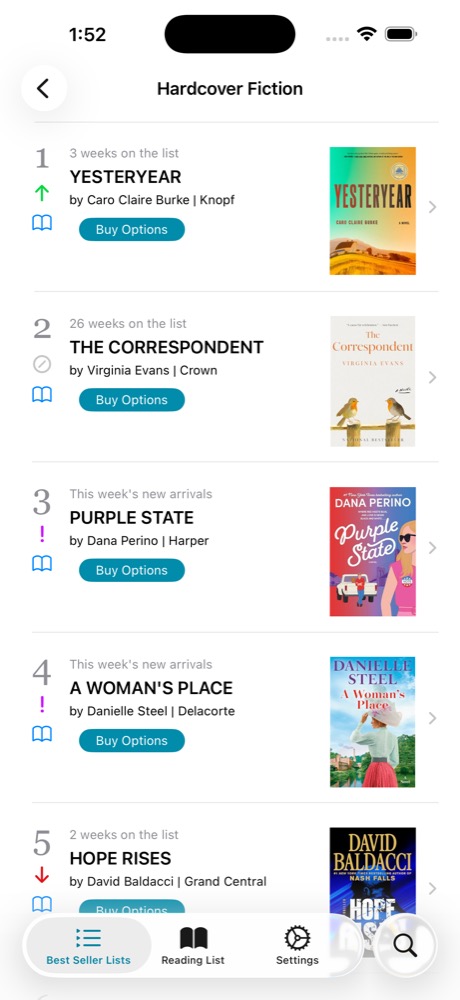
See which titles moved up or down in hardcover fiction.
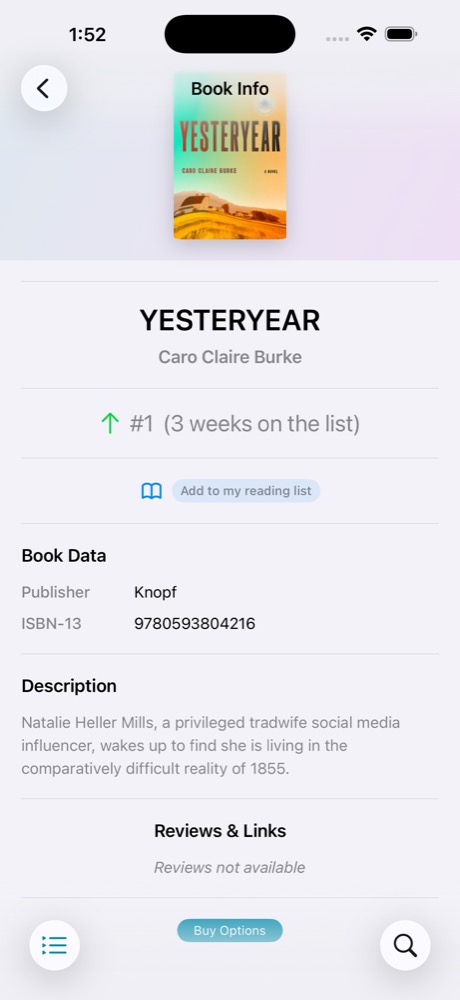
Read the synopsis, check the publisher, and add a title to your reading list.
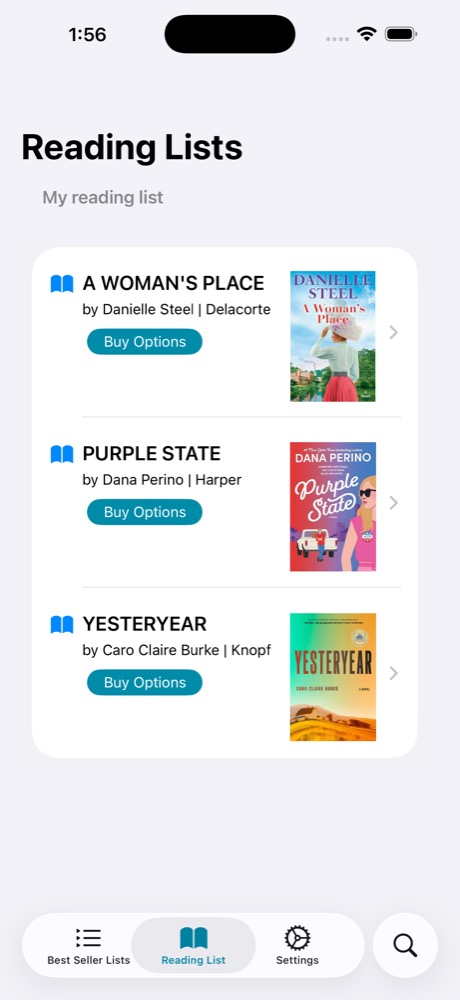
Revisit saved books with their covers, authors, and buying options.
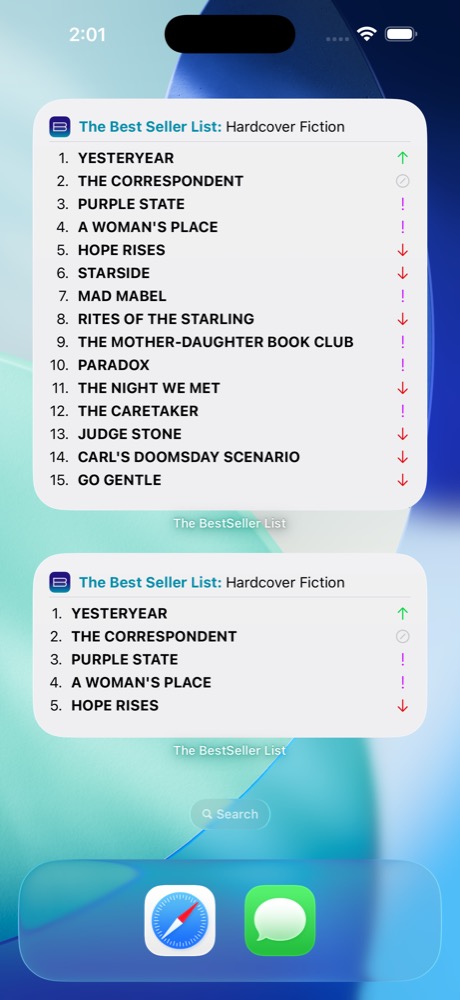
See the top titles in hardcover fiction and nonfiction at a glance.
Identity
 ID-Reader
Choose which name fields to request from a supported Wallet ID. For an age check, you can request confirmation that someone meets a minimum age. The holder reviews the request on their device before sharing. For a supported passport, start with the machine-readable zone on the photo page.
Inside the App
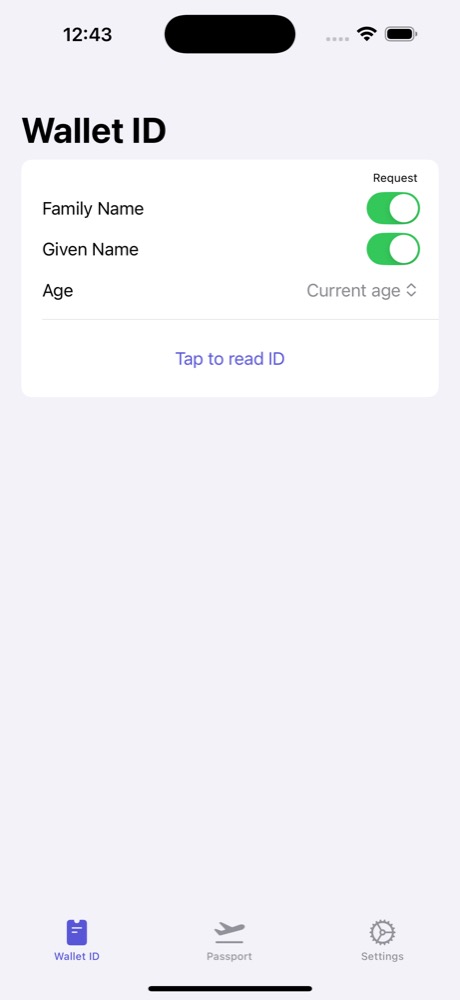
Choose which name and age fields to request.
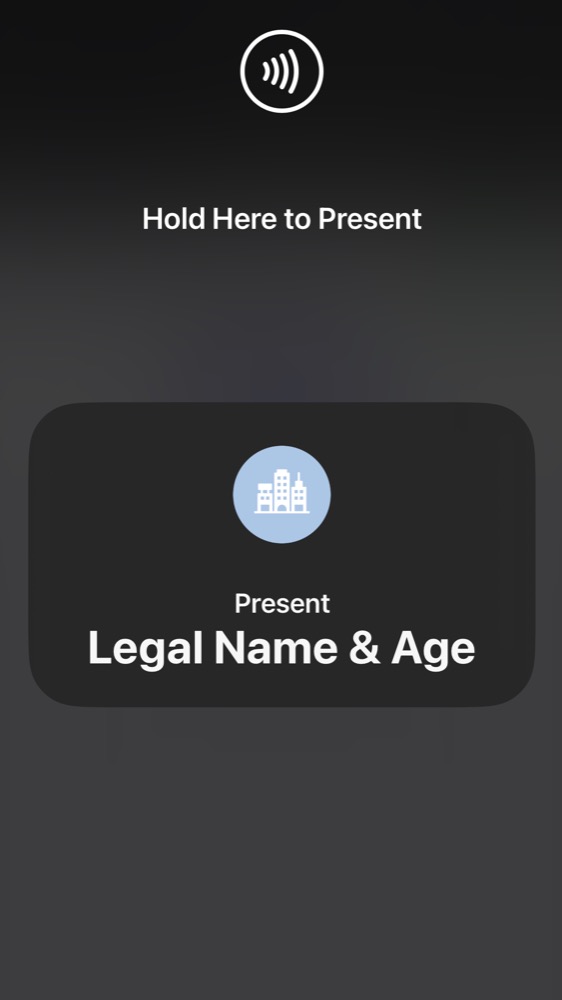
The presentation screen shows which information the reader is requesting.
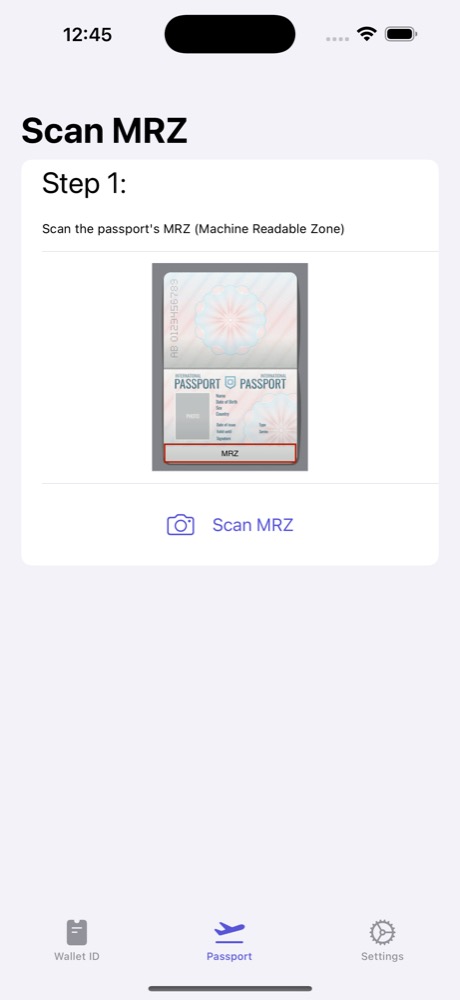
Start a passport read by scanning its machine-readable zone.
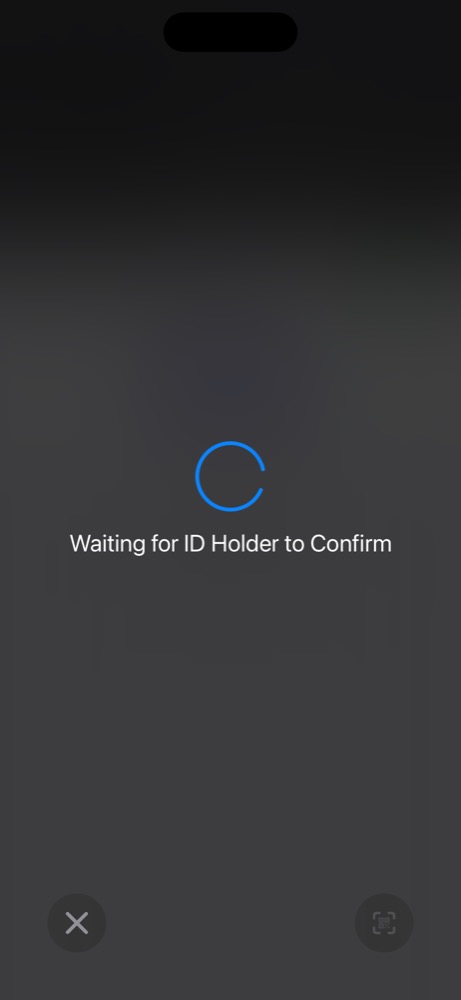
The reader waits while the ID holder decides whether to share the requested information.
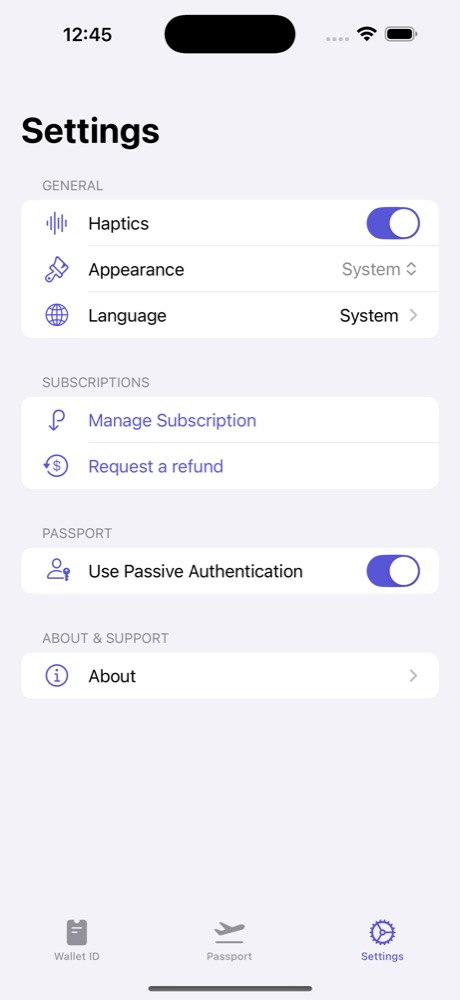
Find the passive authentication option under Passport in Settings.
Navigation
 The Location App
Use your current position or search for a place by name, address, coordinates, or Plus Code. Tap a pin to see its nearest address and geographic identifiers together. Copy the location details for a message, or open the pin in a map app for directions.
Inside the App
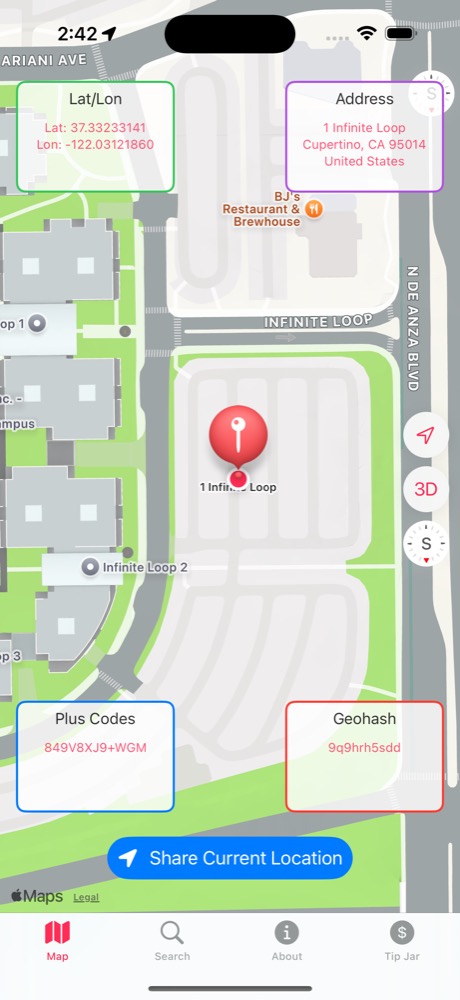
View coordinates, address, Plus Code, and geohash on the map.
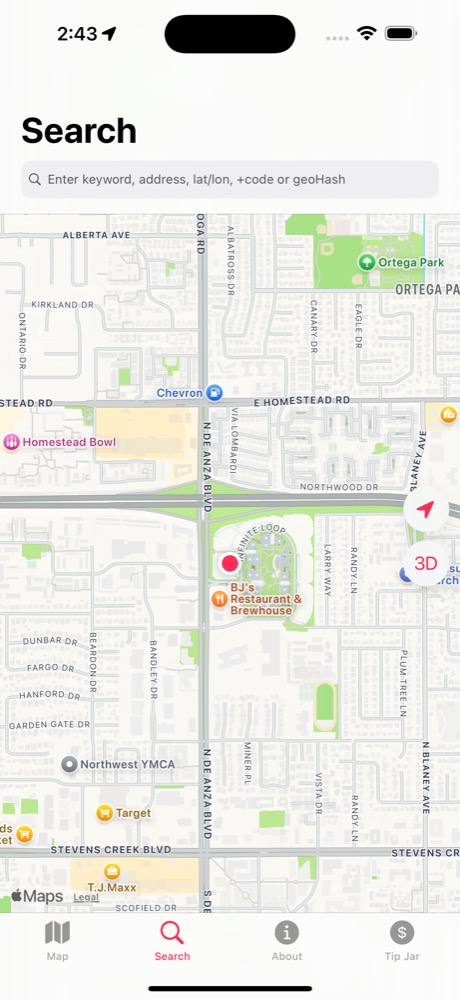
Search by keyword, address, coordinates, or geohash.
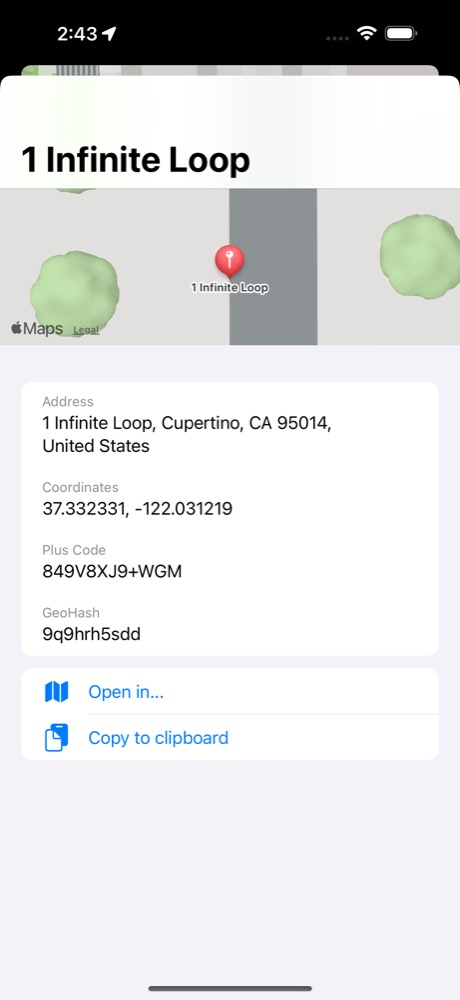
Open a place in a map app or copy its details to the clipboard.
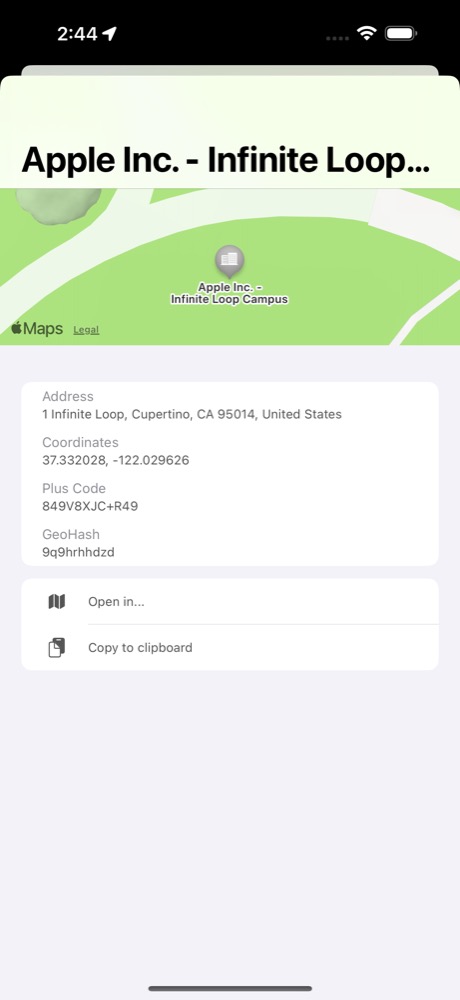
Inspect the pin for Apple’s Infinite Loop campus and copy its address or coordinates.
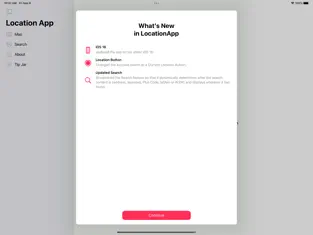
Review release notes beside the iPad sidebar, with Map and Search within reach.
Food trucks
 mFood
Find food trucks on the map, then switch to a list to compare nearby stops. Filter by cuisine or opening status and sort by distance, name, or rating. Open a truck’s profile for its location, schedule, and menu when available, and save favorites to find them again.
Inside the App
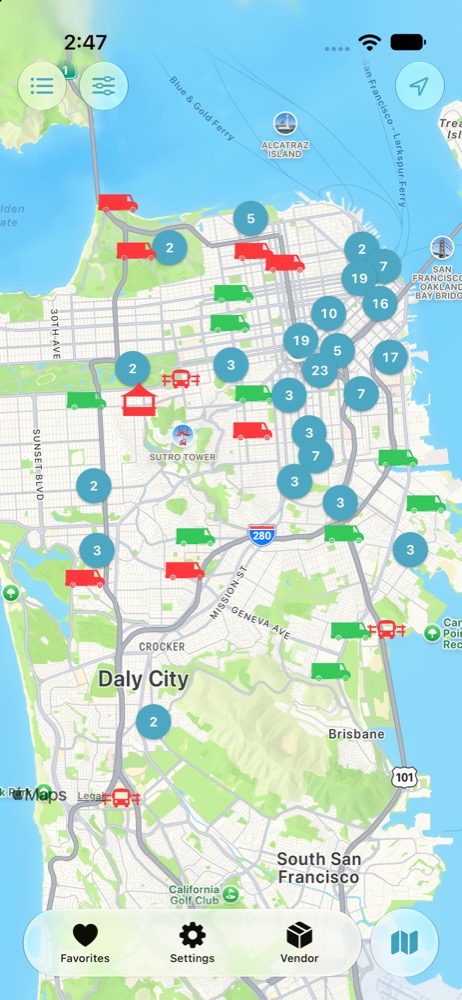
Explore truck locations and clusters around San Francisco.
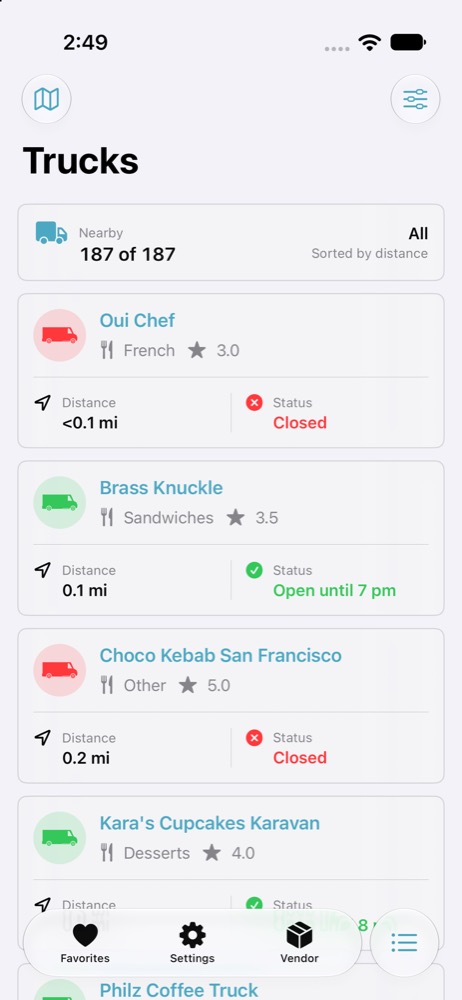
Compare nearby trucks by distance, cuisine, and opening status.
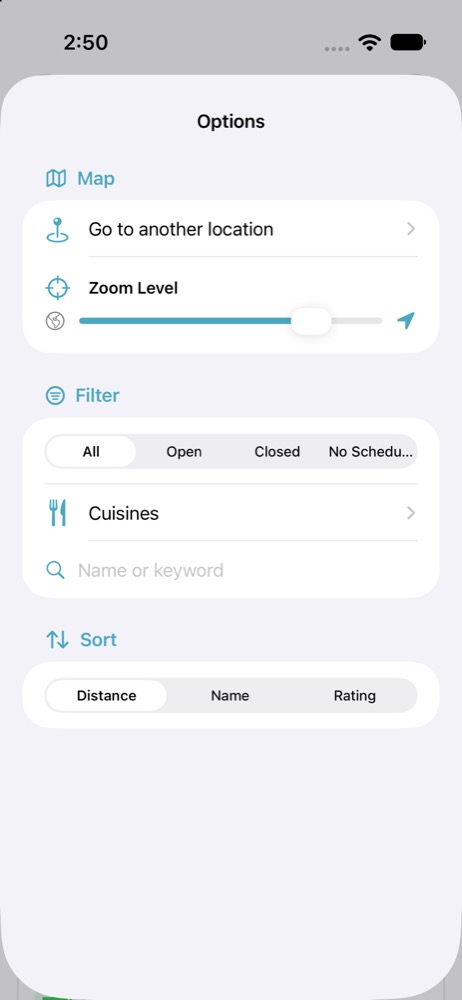
Filter by cuisine and hours, then sort by distance, name, or rating.
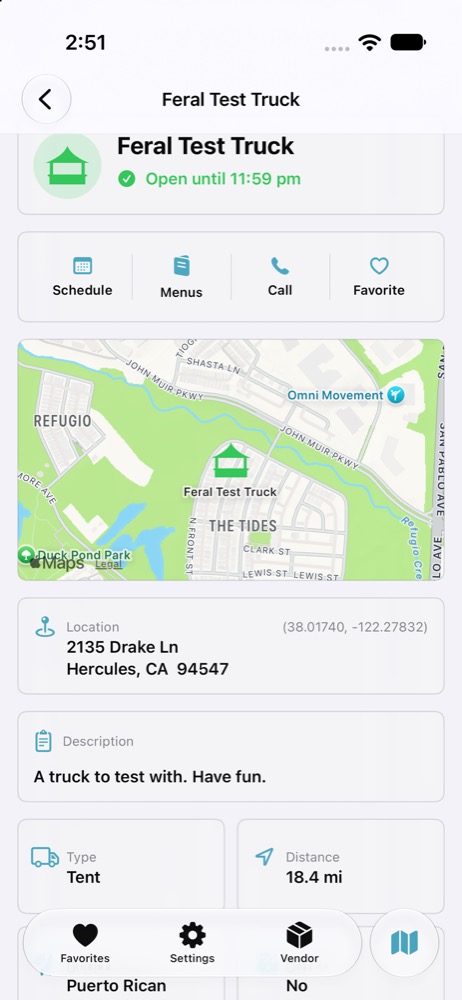
Check a truck’s location and use the shortcuts for its schedule, menu, or phone number.
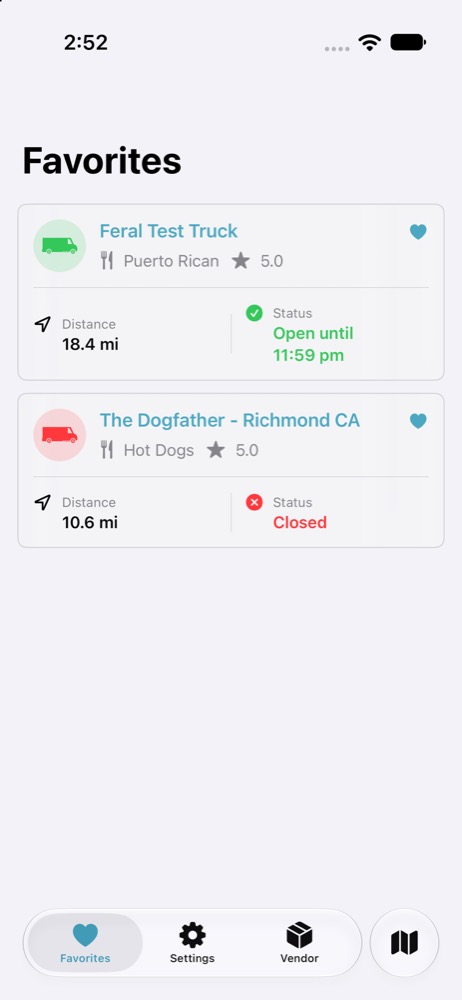
Compare saved trucks by distance and see which ones are open.
Watches
 The Watch Collector’s App
Browse your collection by photo, brand, and model, and keep a separate wishlist for pieces you’re considering. Log the watch you wore on a given date. Over time, the wear statistics show which watches get the most wrist time and how long you’ve kept your logging streak going.
Inside the App
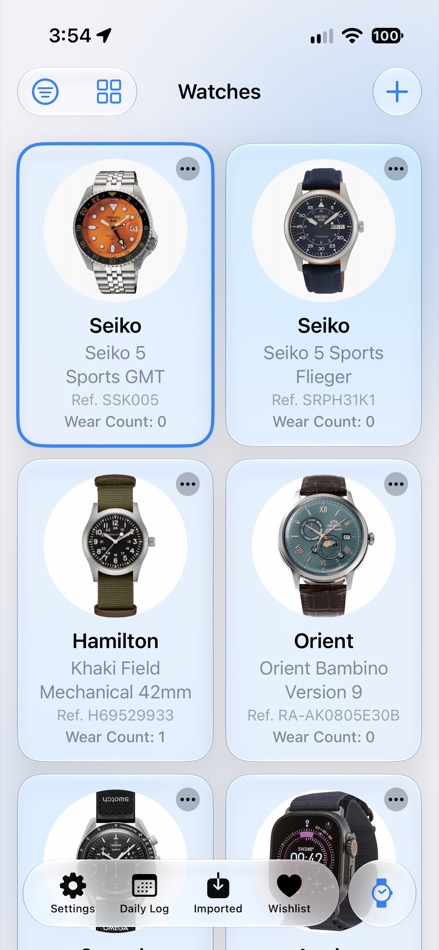
Browse your watches by photo, brand, and model.
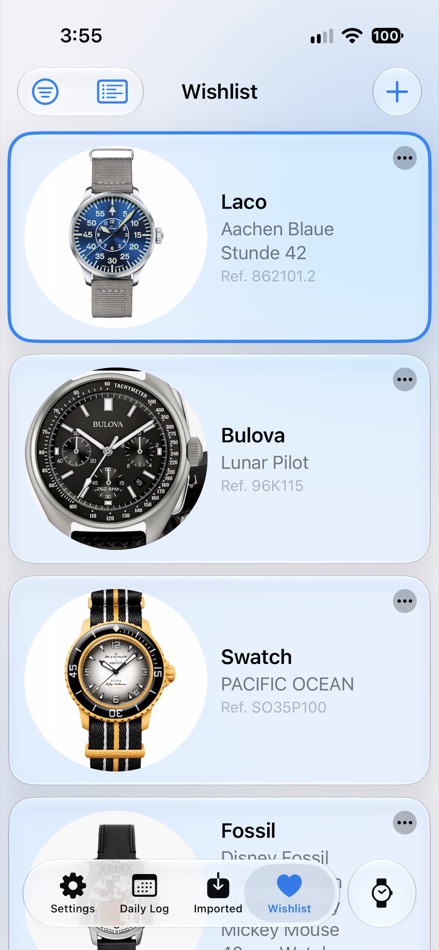
Keep track of the watches you’re considering.
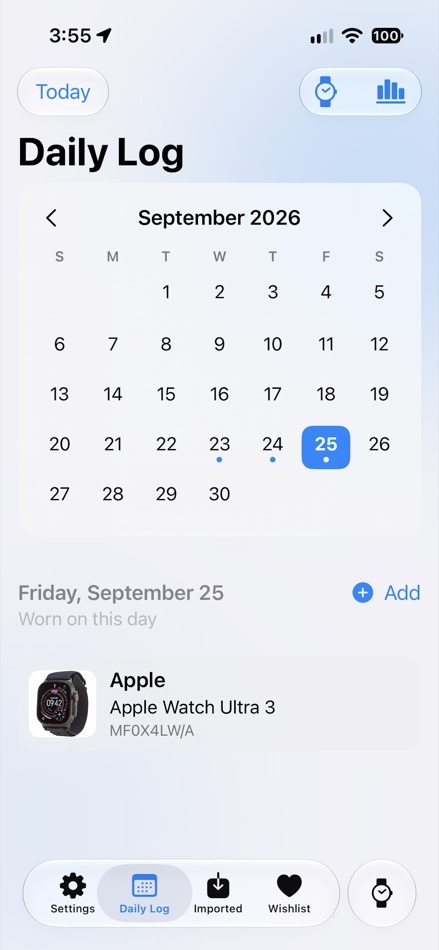
Select a date to see which watch you wore.
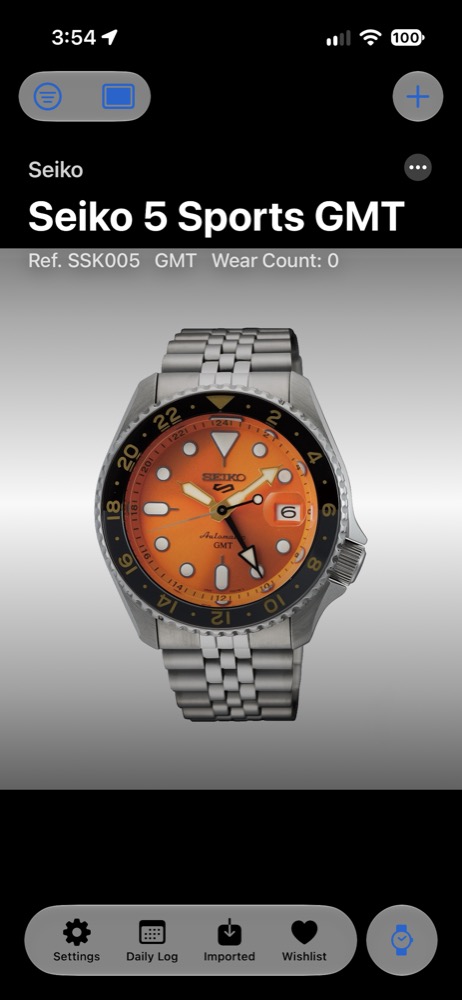
Inspect the dial photo alongside the brand, model, reference, and wear count.
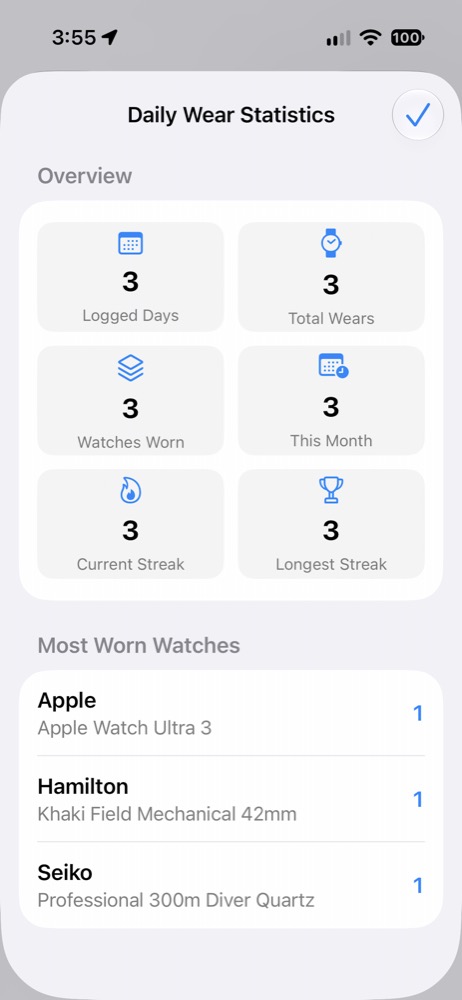
See your most-worn watches, total wears, and longest logging streak.